






A mechanical typewriter works without electricity: your finger supplies the force. When you press a key, a lever under the keyboard lifts a typebar through linkages (a rod with a cast letter at its end). The typebars sit in a fan-shaped basket and all aim at a single printing point. Just before impact, an ink ribbon, a thin strip of fabric soaked in ink, rises between the letter and the paper. The letter presses it onto paper wrapped around a rubber roller, the platen, and a mark stays on the paper.
When you release the key, a spring pulls the typebar back into the basket. At the same time a mechanism called the escapement lets the carriage with the platen move one space to the left, so the next strike does not overlap the previous one. At the end of a line a bell rings, and the carriage return lever brings the paper back to the start and turns the platen by one line. On a wooden mechanical model you will see the same logic in the levers, springs and platen, even if the ink and paper may only be suggested.
Contents of the article
How the machine moves the paper and returns to a new line
The paper does not move by itself. It is held by the rubber platen on the carriage, which moves by one letter width after every strike. Without this step all the letters would land on the same spot.
- Escapement and spacing. A keystroke releases the escapement: a toothed wheel or a pawl lets the carriage move one step (about 2.54 mm with the common Pica type). The space bar makes the same step without printing.
- Platen and line spacing. The paper is wrapped around the platen and held by pressure rollers. When you turn the knob on the side of the platen, the paper moves up or down. The line spacer on the return lever sets how many lines the platen turns on a return (one, one and a half or two).
- Carriage return. When the carriage approaches the right margin, a bell rings. You push the lever on the left side of the carriage to the right: the carriage returns to the left margin and the platen turns by the chosen line at the same time. This way you start a new line without taking the paper out of the platen.
On the model, look for the platen with its knob, the side lever and the place where the carriage can slide. When you move the lever or the platen as the manual describes, you will see what moves with them: that is exactly where the model imitates the line return and the paper feed.
Why the typebars must not jam
The typebars converge on one point. When two neighbouring typebars rise at once, they can jam in the middle of the basket and have to be separated. That is why both the machine and the typist did everything so that only one typebar ever met at that point.
- Springs. Every typebar has a spring that pulls it back into the basket after a strike. As long as the path is clear, the next typebar can rise. When the spring weakens or the typebar binds, the risk of jamming grows.
- One printing point. The segment (the arc in which the typebars sit) guides them so the letters land on the same point against the platen. That is an advantage for a straight line, but also the reason why two typebars can meet in the middle.
- Keyboard layout. The common QWERTY layout appeared in the 1870s with the Sholes and Glidden machine. It is often explained by saying it separated frequently used letter pairs so that neighbouring typebars would not rise at once. Historians do not agree on the original intent, but two typebars jamming at one point was a real mechanical problem.
On the model the same rule applies on a small scale: when you press two keys at once and the typebars meet, do not free them by force. Release the keys, separate the typebars as the manual describes and check that they return freely. If the mechanism sticks even with a single key, you will find the way to track down friction in the article Sticking mechanism: how to find the friction and fix it.
Tip: When you press a key on the finished model and watch which levers and gear wheels move, you will see the chain from the key all the way to the typebar. If something is stiff, stop and check the manual before you push on with force.
What to notice on the model: levers, springs and the platen
A wooden mechanical typewriter model will not show the typing speed of an office, but it will show which parts had to move together. The manual tells you what exactly your model imitates. As you look it over, notice these places:
- Levers under the keys. Look from the side or through an opening in the body of the model. When you gently press one key, watch which lever or link moves and which typebar rises. If something other than what the manual leads you to expect moves, stop and check the joint.
- Springs. Look for thin springs at the typebars or at the key return. When you release the key, the typebar should return by itself. If it stays up, the spring is not hooked in or something binds along its path.
- Platen and lever. Find the platen (or its wooden imitation) and the side lever. Using the manual, check whether the platen turns and whether the lever moves the carriage or imitates the line return. Some models also have spools imitating the ink ribbon: watch whether they turn as you press the keys.
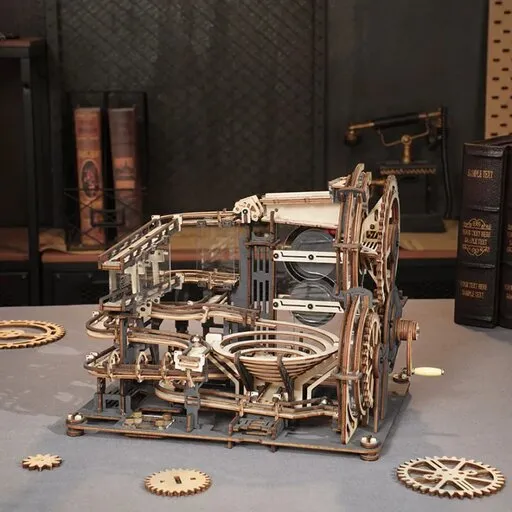
- Gearing. If the model has transparent sides or an opening to the inside, you will see gear wheels that synchronise the movement. Slowly turn the mechanism and watch which wheel turns with which. Where the teeth do not mesh freely, friction arises.
You will find a similar logic of lever and gearing in other mechanical topics too, for example in the article Steam locomotive: how steam turns wheels, what a model shows. The principle is the same: the force comes from one place, the gears guide it and you watch what really moves.
You can look at these parts on the model Wooden mechanical 3D puzzle - Mechanical typewriter (Magic version) ROKR LK703C, for example. According to the shop description, every key press sets the gears and typebars moving towards the paper; it includes a working platen for feeding the paper, a side lever and rotating spools imitating the ink ribbon. According to the shop data it has 324 pieces, an assembly time of about 12 hours and is intended for ages 14 and up.

Wooden mechanical 3D puzzle - Mechanical typewriter (Magic version) ROKR LK703C
- Number of pieces: 324
- Assembly time: 12 h
- Difficulty: 5
Frequently asked questions
What happens between pressing a key and the mark on the paper?
Through levers, the key lifts a typebar with a cast letter. Just before impact, an ink ribbon rises between the letter and the paper; the letter presses it onto the paper on the platen and a spring returns the typebar.
How does a typewriter move to the next line?
After every strike the carriage with the platen advances by one space. The carriage return lever brings it back to the start of the line and turns the platen at the same time, moving the paper up by one line.
Why did the typebars jam?
The typebars converge on one printing point. When two rise at once, they can jam in the middle. Springs pull them back and the typist has to wait until the path is clear.